

Catch Website Failures Before Your Customers Do

Catch checkout failures, API errors, and broken user journeys before they cost you customer trust and revenue.
Verified check mark
10 website for free
Verified check mark
AI test generation
Verified check mark
Real-time alerts
Verified check mark
Public status pages
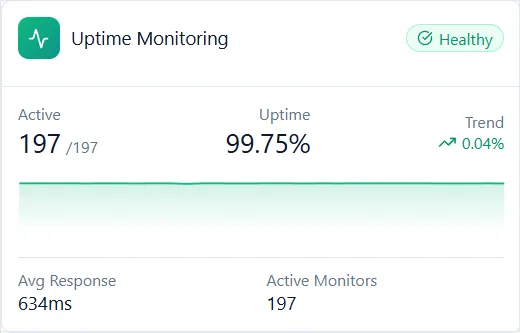
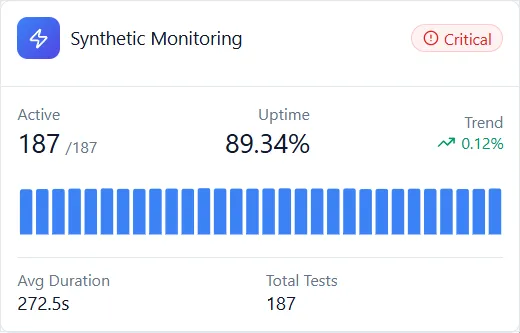
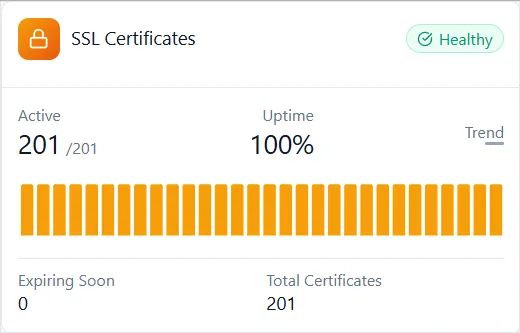
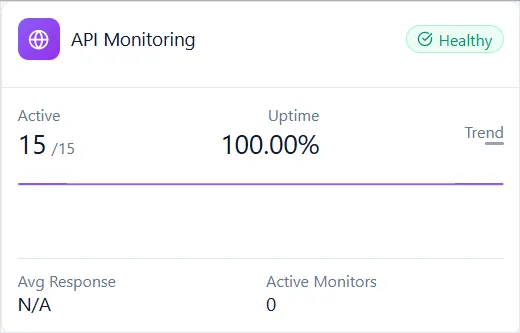
Acumen Logs Uptime dashboard screenshotAcumen Logs Synthetic dashboard screenshotAcumen Logs SSL dashboard screenshotAcumen Logs API dashboard screenshot

Trusted by Top-tier product companies

Uptime, journeys, and APIs

Your Site Can Be Up While Checkout Is Broken

Acumen Logs monitors uptime, user journeys, APIs, and background jobs, then alerts you when something fails. A page can return 200 while checkout, an API, or a scheduled job is already broken.

No credit card. The free plan stays free. Paid plans from $5 a month.

First monitor
About a minute
Check interval
From every minute
Alerts
Slack, Teams, Email
To start
Free, or just $5/m
northline.example
3 failing right now
Homepage Uptime
GET / · Checked every 1m from London
200 OK
212 ms · 99.98%
Customer checkout flow Synthetic
Step 4 of 5: Payment button timed out
Failed
3.2 s · Screenshot
POST /api/checkout API
Expected status 200 & valid order_id JSON
500 Error
3.2 s · Payload
Nightly order sync Heartbeat
Expected daily at 02:00 UTC · 5m grace
Missed
14m overdue
Alert sent to #ops-alerts
Screenshot & console logs attached
What a ping misses

Four Failures Your Uptime Check Can Miss

Uptime monitoring tells you a server responded. But checkout, API, and background job failures can still cost you revenue.

Uptime

The website responds

Check your website from multiple regions for availability, response time, status codes, and matching text. This catches outages, but not every broken user journey.

Synthetic

The user journey fails

Test login and checkout in a real browser on a schedule. Build a journey from a prompt or record it in Chrome, then inspect screenshots, console errors, and requests.

API

The API responds incorrectly

Chain requests, pass tokens between steps, and validate JSON responses. A successful status code can still hide incorrect data.

Heartbeat

A scheduled job goes silent

Backups, invoices, and workers check in when they finish. If a check-in is missed, you get alerted even while the website remains online.

Who it's for

One product, many ways teams use it

Development teams

A journey on login and checkout, an API check behind them, and a Slack alert when a deploy breaks either one.

E-commerce

The purchase flow, the payment API, and the certificate, watched together so a dead checkout is not a surprise in the morning.

Hosts and agencies

Many client sites in one account, branded status pages, and the WHMCS module when monitoring is part of what you resell.

WHMCS module →
The platform

Every Layer. One Dashboard. One Set of Alerts.

Start with a URL. Add user journeys, API checks, and job monitoring as you grow. Get alerts by email, Slack, Teams, desktop, SMS, or webhook.

Uptime monitoring

Every minute, from multiple regions, with status, latency, and a text match.

Uptime →

Synthetic monitoring

Real browser journeys. Build them with AI, the Chrome recorder, or the no-code builder.

Synthetic →

API monitoring

Chained requests, tokens passed between steps, and checks on the JSON.

API →

Heartbeat monitoring

Cron jobs and workers check in when they finish. Late and missed alert separately.

Heartbeat →

SSL monitoring

Certificate health and expiry, before visitors see a browser warning.

SSL →

WHOIS monitoring

Domain registration and expiry, with time to renew before a name lapses.

WHOIS →

Status pages

Public or private, updated from your monitors, on your own domain.

Status pages →

Real user monitoring

How fast the site is for real visitors, by page, device, and country.

RUM →
Setup

Set Up Your First Monitor in About a Minute

No software to install on your servers.

01

Add a URL or journey

Paste a URL to monitor uptime, or describe a checkout in one sentence and let AI draft the steps.

02

Choose your alert settings

Get email alerts on every plan, or connect Slack, Teams, desktop, and webhooks on Solo and above. Set how many failures trigger an alert.

03

Let monitoring run

Checks run automatically. When something fails, review the status and timing, plus a screenshot for browser journeys.

What Teams Are Saying

Trusted by agencies, hosts, and SaaS teams

Verified feedback across production fleets
Enterprise Fleet Spotlight Verified Customer

"Our experience with Acumen Logs has been outstanding. They played a crucial role in helping us quickly onboard several hundred sites for both uptime and synthetic monitoring, and their willingness to develop features based on our specific requirements was a game-changer."

Read full review + Show less −

Their flexible payment models made it easy for us to tailor the service to our needs, providing invaluable support every step of the way. Their responsiveness and commitment to consistent platform updates have exceeded our expectations, and working with their team has been an absolute pleasure. Highly recommend!

J
Jared · Prisim RBS
100s of Sites
Onboarded seamlessly
Uptime + Synthetic
Unified fleet coverage
Ecommerce Fleet

"We needed to transition to a new monitoring system for the many ecommerce sites we support, and Acumen stepped in and filled the void in a terrific way. Very responsive—quickly implementing bug fixes and enhancement requests. A+"

Full quote + Less −

In the months that we've been using the platform there have already been several new features introduced, and I assume things will continue to get even better from here.

B
Brian · Prisim RBS
User Journeys

"We're using the synthetic monitoring and uptime monitoring. Really easy setup process for user journey based synthetic monitoring, and all the reporting options we needed."

P
Phil · PTDistinction
Hosting Provider

"Love the support we got from Acumen Logs! Highly recommended."

M
Mark · HostingNL
What Teams Are Saying

Trusted by agencies, hosts, and SaaS teams

Verified feedback across production fleets
Enterprise Fleet Spotlight Verified Customer

"Our experience with Acumen Logs has been outstanding. They played a crucial role in helping us quickly onboard several hundred sites for both uptime and synthetic monitoring, and their willingness to develop features based on our specific requirements was a game-changer."

Read full review + Show less −

Their flexible payment models made it easy for us to tailor the service to our needs, providing invaluable support every step of the way. Their responsiveness and commitment to consistent platform updates have exceeded our expectations, and working with their team has been an absolute pleasure. Highly recommend!

J
Jared · Prisim RBS
100s of Sites
Onboarded seamlessly
Uptime + Synthetic
Unified fleet coverage
Ecommerce Fleet

"We needed to transition to a new monitoring system for the many ecommerce sites we support, and Acumen stepped in and filled the void in a terrific way. Very responsive—quickly implementing bug fixes and enhancement requests. A+"

Full quote + Less −

In the months that we've been using the platform there have already been several new features introduced, and I assume things will continue to get even better from here.

B
Brian · Prisim RBS
User Journeys

"We're using the synthetic monitoring and uptime monitoring. Really easy setup process for user journey based synthetic monitoring, and all the reporting options we needed."

P
Phil · PTDistinction
Hosting Provider

"Love the support we got from Acumen Logs! Highly recommended."

M
Mark · HostingNL
Pricing

Start free. Move to $5 when you want minute checks

No credit card. You choose the plan after you sign up, and you can change it later.

Free

$0
per month
  • 60 synthetic monitoring tokens
  • 10 uptime, SSL and WHOIS checks, every 10 minutes
  • Docker integration and the Chrome plugin
  • Email alerts
Create a free account

Solo

$5
per month
  • 150 synthetic monitoring tokens
  • 100 uptime, SSL and WHOIS checks, every minute
  • 10 status pages with custom domains
  • Email, Slack, Teams, desktop and webhook alerts
Sign up, then choose Solo

Pro is $149.99 a month for teams with a heavy CI suite. Essentials includes video and a 14-day trial once you select that plan.

See every plan →
FAQ

Frequently Asked Questions

Where should I start?

Most teams start with uptime monitoring on their key URLs, then add a synthetic journey on the path that makes money, such as checkout or sign-up.

Do I need a separate account for each product?

No. Every product lives in the same account and dashboard, with the same alert channels.

What is the difference between uptime and synthetic monitoring?

Uptime confirms the server answers. Synthetic monitoring runs a real browser through a journey, so it catches a broken button or a script error while the homepage still loads.

Do I need to write code?

No. Record a journey with the Chrome extension, build it in the no-code builder, or describe it in a sentence and let the AI build it.

Show all questions Show fewer questions

Can I share results with clients?

Yes. Status pages can be public or private, and you can share test data with your team or your clients.

Is there a free plan?

Yes. The free plan needs no credit card and includes 10 uptime, SSL, and WHOIS checks, 60 synthetic tokens a month, email alerts, and a status page.

Acumen Logs

Find the broken checkout before your customers do

Start with one URL. Add the journey when the homepage being up is no longer enough.